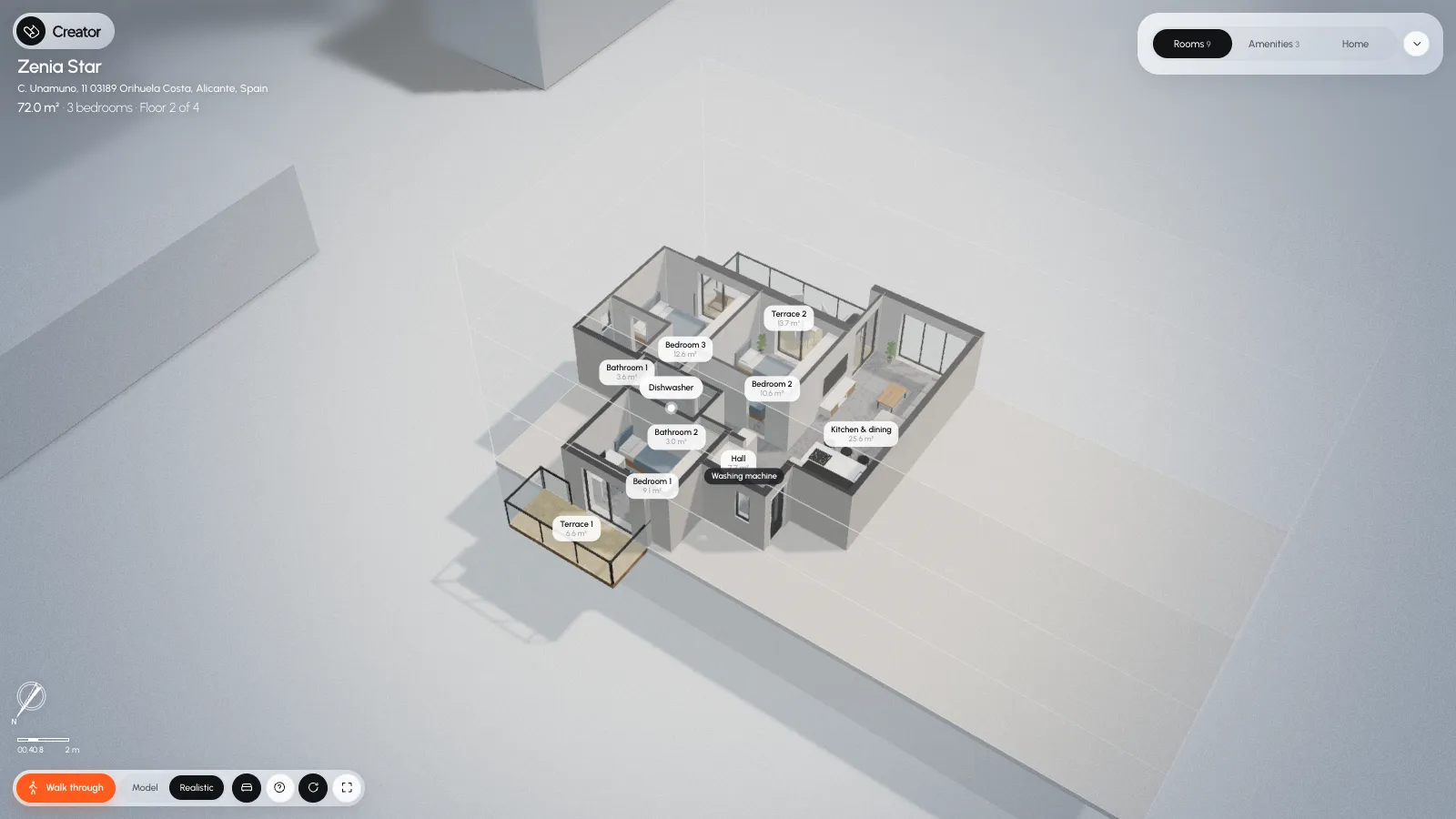
Floor plans in.A home you canwalk through out.
Upload the plans of an apartment or a house. Scans, PDFs and marketing plans all work. Creator builds the home in 3D, furnished, ready to look round and walk through.
From floor planto 3D walkthroughin an instant.
-
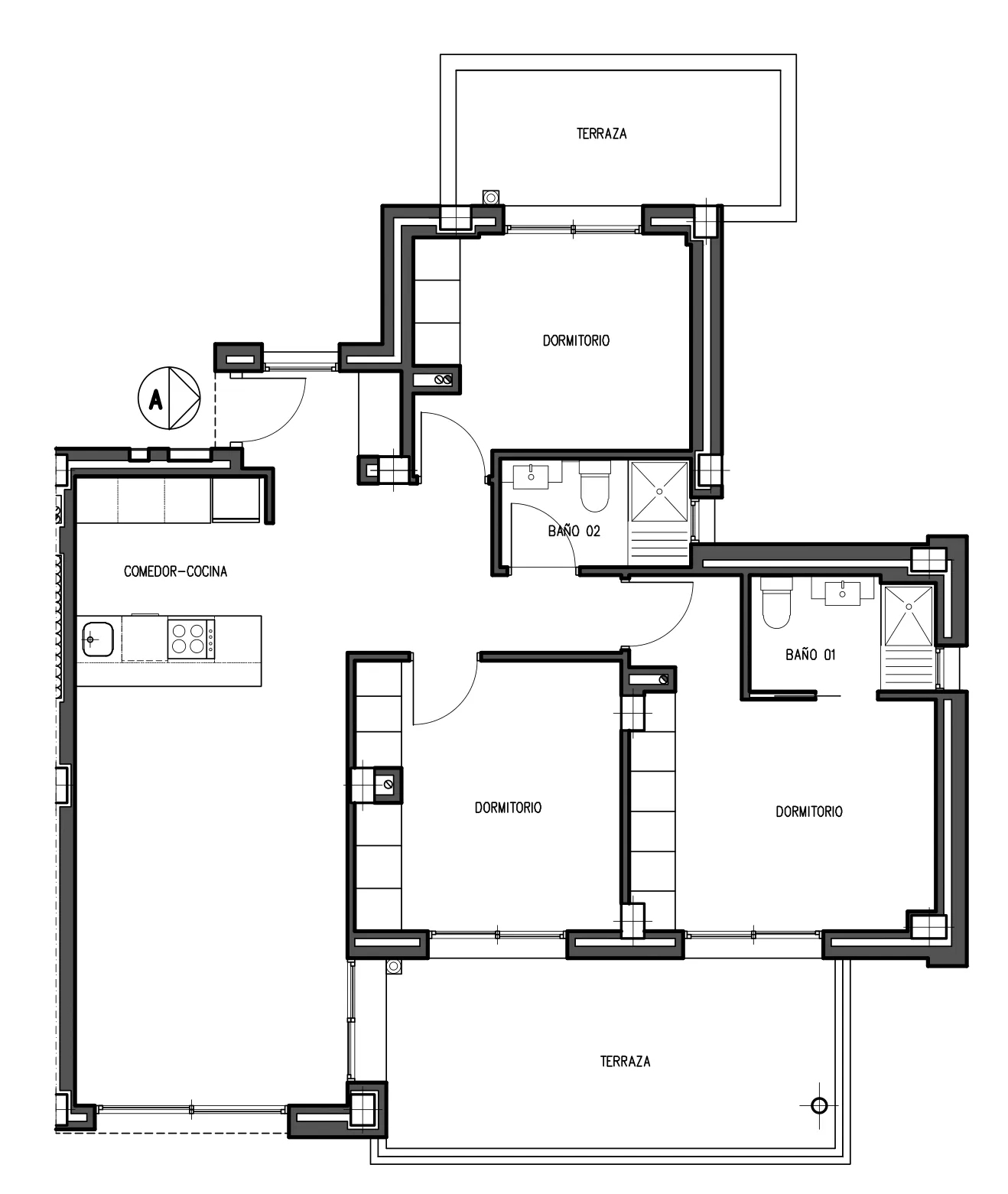
Drop in the plan
Whatever the agent sent you. A PDF, a scan, a phone snap of the brochure. Nobody redraws it, nobody opens CAD.
-
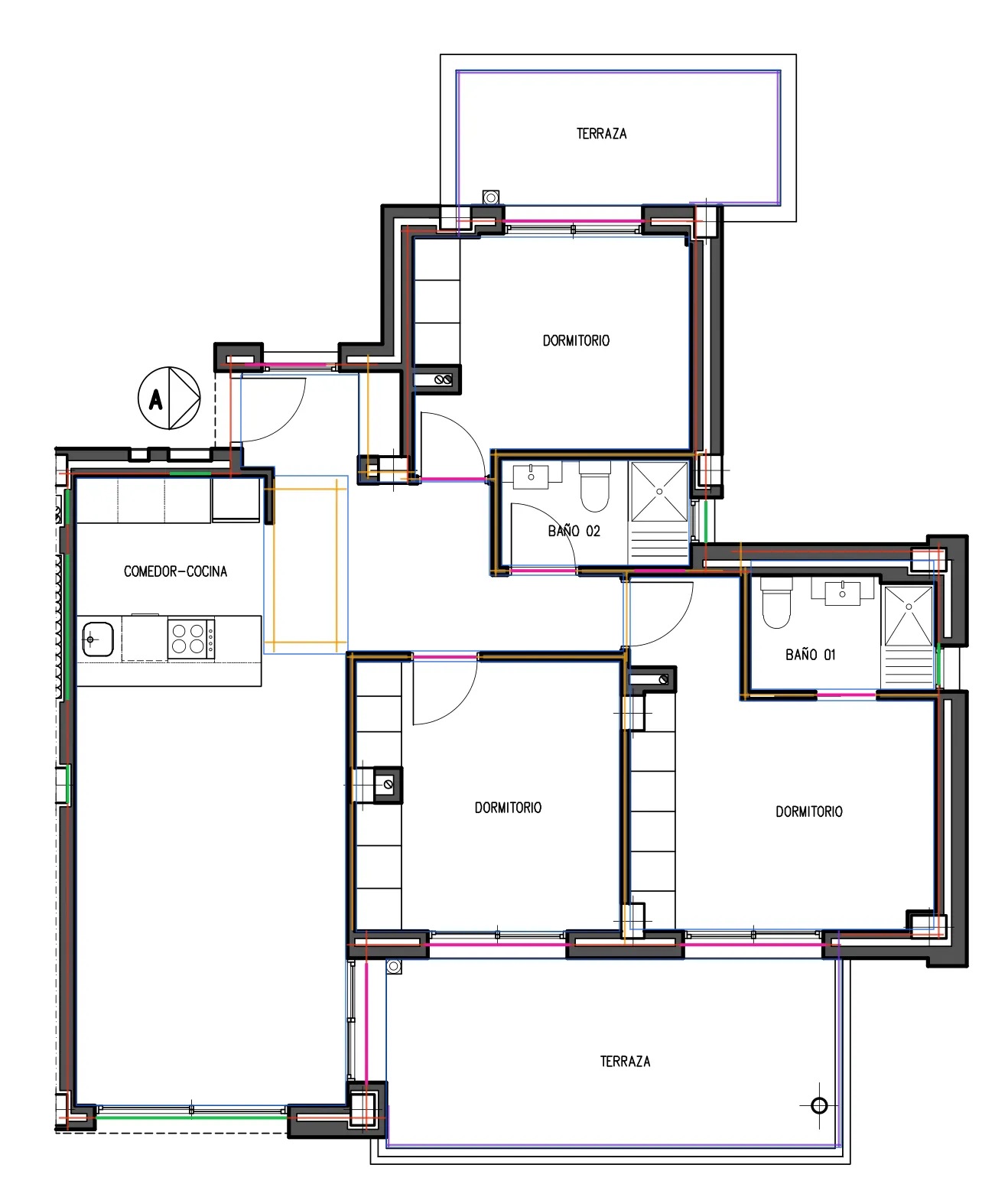
Creator reads it
Every room, wall, door and window, straight off the page. It even works out the scale on its own, from things it knows the size of, like a bed or a hob.
-
Open house
Share one link and buyers can look round every furnished room, true to scale, whenever suits them. No bookings, no keys, no waiting for the next viewing.
Finisheddown to thelast detail.
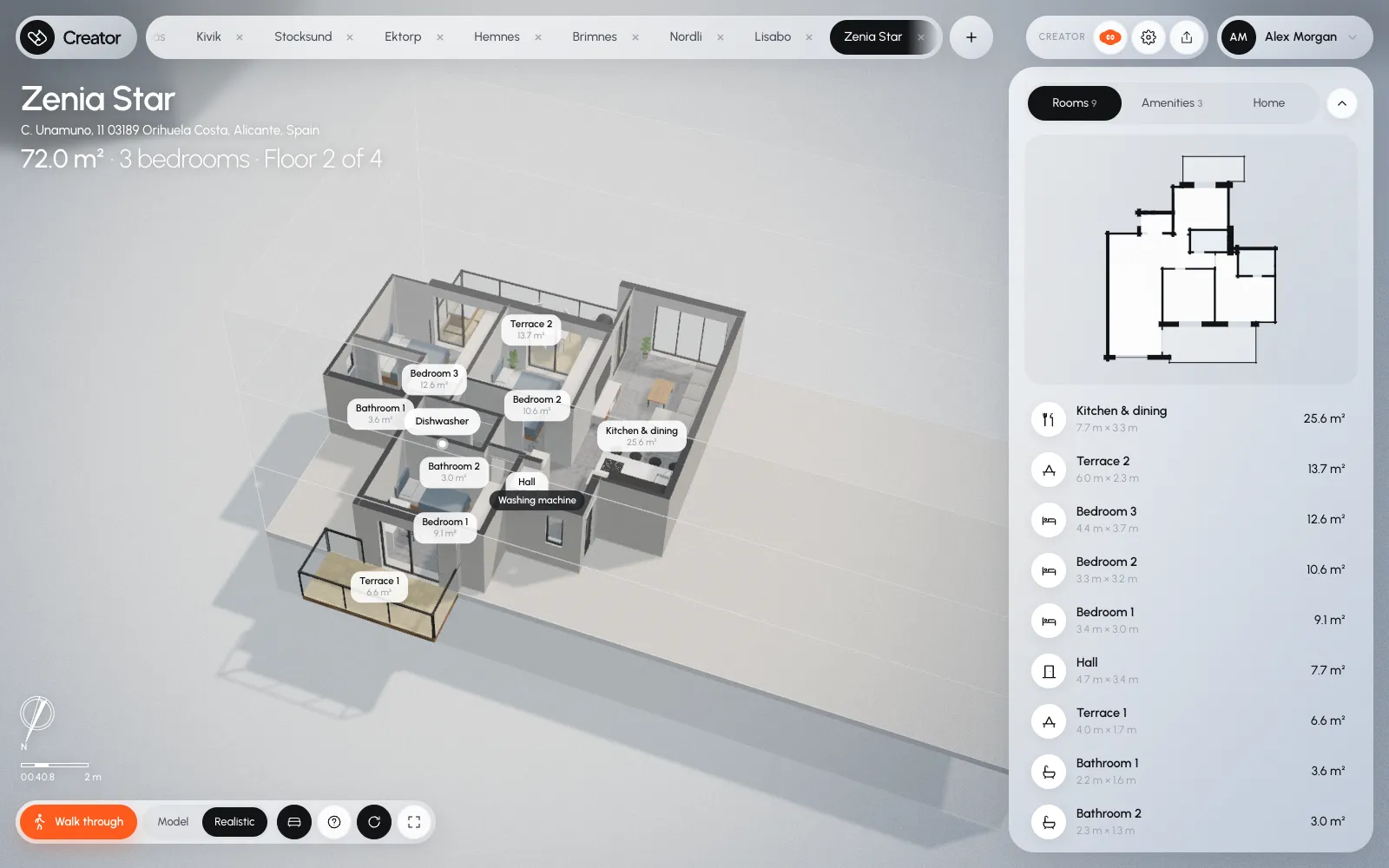
Keep every home you upload as a project of its own. Each one arrives furnished room by room, its rooms named and measured and its amenities listed, ready to turn, zoom into and walk through.
-
Rooms with their sizes
Every room labelled with its name and area, read from the plan.
-
A plan that follows you
Click a room in the side panel and the model shows you where it is.
-
Real or clean
Realistic, with textures and furniture, or a clean model for floor plans.
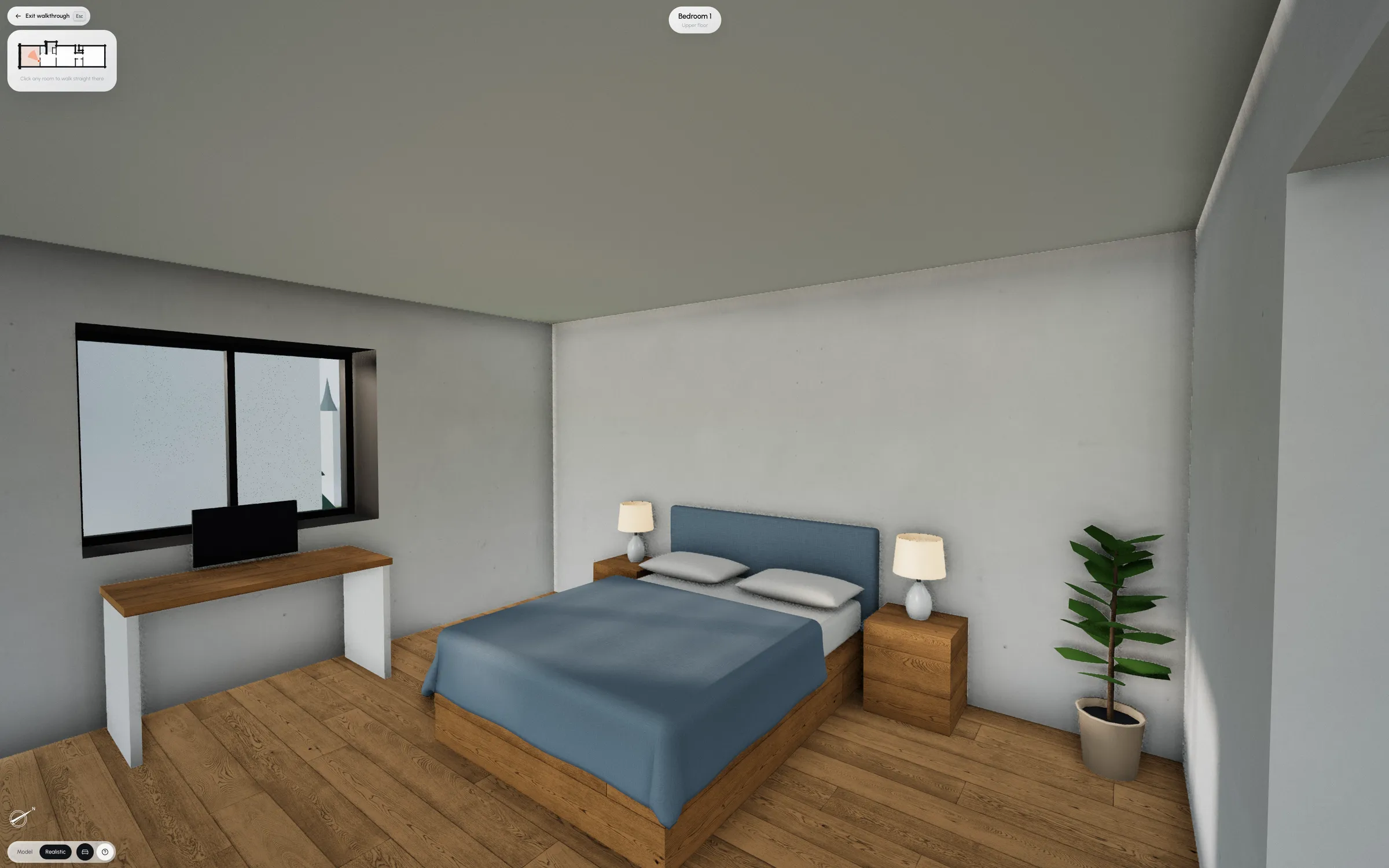
Zoom inand you'reinside.
The view becomes a wide-angle first-person walk. Click the floor and you walk there, round walls and furniture. Stairs take you between storeys.
Getting round
Drag to look
Click to walk there
WASDto walk
Escto step back out
Point at it.Change almost anything.
Hi, I'm SIbot. Move your pointer and I'll watch it.
SIbot is the editor in Creator. Click anything in the model, a wall, a window or a sofa, and tell it what should change. About ten seconds later the home is rebuilt, with the camera where you left it.
-
Click anything
SIbot works out what you meant: the sofa, the room round it, the wall behind it. The best guess comes first, with the others a click away.
-
Tell it in your own words
“Make this sofa dark green velvet and face it toward the terrace.” Small changes, like colour, size or a nudge, you can make yourself, right there.
-
Drag furniture in
Pick from the library and drop it in a room. Near a wall it turns to face out, and every change can be undone.
Easyto use
Drop in the plans, give the home a name, and Creator builds the rest in a few minutes. Nothing to redraw, no forms to fight.
-
Drop in the plans
A PDF, a scan or a photo: one per storey, or one sheet with all of them.
-
Name it
A name, the address and what it comes with.
-
Walk through it
A few minutes later it's built, furnished room by room, ready to look round and share.
Turn your next planinto a home peoplecan walk through.
Creator is in early access. Leave your email and we'll set you up.